Introduction
Buying Bitcoin sounds simple until you open an exchange and see a wall of numbers and buttons. Binance Spot is where most beginners start, since it lets you buy and sell Bitcoin directly at the current market price, without borrowing or margin involved. This guide walks through how to trade Bitcoin on Binance Spot, step by step, from opening an account to placing your first order. By the end, you should feel comfortable enough to make a trade without second-guessing every click.
What Spot Trading Actually Means
Spot trading means buying or selling an asset for immediate delivery, at today’s price. You give up dollars, or another crypto, and you receive Bitcoin right away. Nothing is borrowed, and there is no expiration date attached to the position.
This sets spot trading apart from futures or margin trading, where a trader can bet on price direction without ever owning the coin itself. Those markets use borrowed funds, which raises both the potential reward and the potential loss. Spot is simpler by comparison, and it carries less risk, since you cannot lose more than the amount you put in.
Spot markets also tend to move a bit slower than margin or futures markets, since there is no forced liquidation hanging over every trade. For a first-time trader, spot is the sensible place to begin, and most people stick with it long after they understand the other options.
Setting Up Your Binance Account
Before anything else, you need an account, and the process is fairly quick.
- Go to the official Binance website or download the app from an official app store.
- Sign up using an email address or phone number.
- Set a strong password and turn on two-factor authentication right away.
- Complete identity verification, known as KYC, by submitting a government ID and a short selfie video.
Verification levels vary by region. A basic level might let you deposit small amounts, while full verification raises your limits and unlocks features such as card payments. Processing usually takes a few minutes, though it can stretch longer during busy periods or if your documents need a second review.
Funding Your Wallet
Once your account is verified, you need money in it before you can buy anything.
Binance offers a few common ways to fund your wallet:
- Bank transfer, where available in your country.
- Debit or credit card, usually with a fee attached.
- Depositing crypto you already own from another wallet or exchange.
- Peer-to-peer (P2P) trading, where you buy directly from another user through an escrow system.
Card payments are the fastest option but often cost more per transaction. Bank transfers usually cost less, though they can take a day or two to clear depending on your bank. P2P suits people who want to pay with a local method their bank supports directly. Pick whichever method matches how quickly you actually need the funds.
Reading the Spot Trading Screen
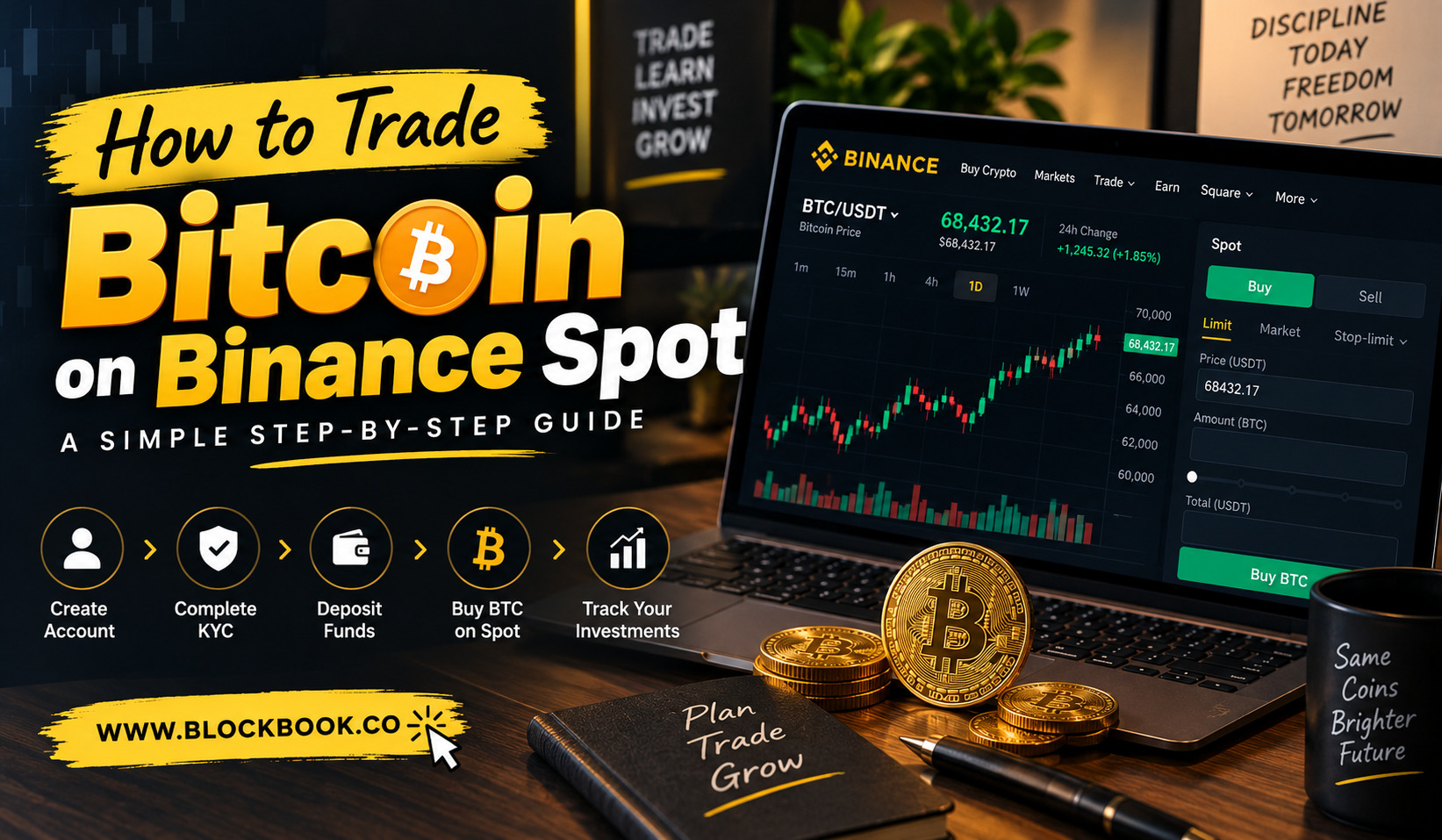
Open the BTC trading pair, such as BTC/USDT, and the screen can look crowded at first glance.
The main pieces are the price chart, the order book, and the order form. The order book shows current buy and sell orders stacked by price, so you can see roughly where the market wants to trade right now. Green rows usually represent buyers, and red rows represent sellers, though the exact colors depend on your app settings.
The chart shows historical price movement, which some traders study to guess where price might head next. The order form, usually placed on the right side of the screen, is where you actually place a trade once you know what you want to do.
It helps to spend a few minutes just watching the numbers move before risking any real money. Nothing about the layout is fixed forever, and it starts to feel familiar after a handful of visits.
Placing Your First Bitcoin Trade
With funds sitting in your account, here is the basic process for a simple market buy:
- Select the BTC/USDT pair, or whichever pair you prefer to trade.
- Click the Buy tab inside the order form.
- Choose “Market” as your order type.
- Enter how much you want to spend, or how much BTC you want to receive.
- Confirm the order.
The trade should fill within seconds, since a market order takes whatever price happens to be available at that moment. Selling works the same way, just using the “Sell” tab instead.
Start small on your first few trades, at least until the process feels routine. There is no rule saying you have to buy a whole coin, since Binance allows fractional purchases down to very small amounts.
Order Types Worth Knowing
Not every trade needs to happen instantly, and that is where other order types come in handy.
Market Order
Buys or sells right away at the best available price. It is fast, but you give up control over the exact price you pay.
Limit Order
Lets you set the exact price you are willing to pay or accept. The trade only executes once the market reaches that price, which could take minutes, hours, or might never happen at all.
Stop-Limit Order
Combines a trigger price with a separate limit price. Once the market hits your trigger, a limit order is placed automatically on your behalf. Many traders lean on this to cut losses without staring at the screen all day.
Learning the difference between these three order types covers most of what a beginner actually needs for quite a while.
Fees and How to Lower Them
Binance charges a standard spot trading fee of around 0.1 percent per trade for both maker and taker orders, though the exact rate can shift depending on your account tier and region.
A few common ways traders bring that cost down:
- Paying trading fees with BNB, which can cut the rate by roughly a quarter.
- Trading higher volumes over a 30-day period, since fee tiers drop as volume grows.
- Comparing payment methods before depositing, since cards often carry separate charges on top of trading fees.
Fees look tiny on a single trade, but they add up quickly for anyone trading often. It is worth checking the current fee schedule on Binance directly before you commit to a strategy that depends on frequent trades.
Keeping Your Coins Safe
Security matters just as much as picking the right order type.
A few habits worth building early on:
- Turn on two-factor authentication using an authenticator app, rather than relying on SMS alone.
- Use a unique, strong password that you do not reuse on any other website.
- Avoid clicking links from unsolicited emails or messages claiming to be from Binance support.
- Consider moving larger holdings into a personal wallet instead of leaving everything sitting on the exchange.
No exchange is completely risk-free, no matter how large or established it is. Treating your account like something worth protecting, rather than a casual app, tends to save people a lot of grief later on.
Key Takeaways
- Spot trading: buying or selling Bitcoin at today’s price, with no borrowing involved.
- Account setup: requires identity verification before you get full access.
- Order types: market orders fill instantly, limit orders wait for your chosen price.
- Fees: standard rate sits around 0.1 percent, lower with BNB or higher trading volume.
- Security: two-factor authentication and unique passwords are the basics everyone should have.
FAQs
Is Binance Spot trading safe for beginners?
Spot trading is generally lower risk than margin or futures trading, since you only ever risk the amount you put in.
Do I need a lot of money to start trading Bitcoin?
No, Binance allows fractional purchases, so you can start with a small amount and grow from there.
What is the difference between a market order and a limit order?
A market order fills immediately at the current price, while a limit order only fills once the market reaches the price you set.
Can I lose more money than I deposit on Binance Spot?
No, since spot trading does not involve borrowing funds or trading on margin.
How long does identity verification usually take?
It typically takes a few minutes, though busier periods or document issues can extend the wait.
Conclusion
Learning how to trade Bitcoin on Binance Spot really comes down to a handful of steps: set up your account, fund it, understand the order types, and keep your security tight from day one. None of it stays complicated once you have gone through the process a few times. Start small, get comfortable with the interface, and build your confidence from there.
About the Author