Introduction
Jumping into crypto with real money before you understand the interface is a fast way to make an expensive mistake. Binance Demo Trading exists to solve that problem, letting you practice buying, selling, and placing orders using virtual funds instead of your own. This guide covers how Binance Demo Trading works, what it can teach you, and where its limits sit. If you are new to crypto, this is likely the safest place to begin.
What Binance Demo Trading Actually Is
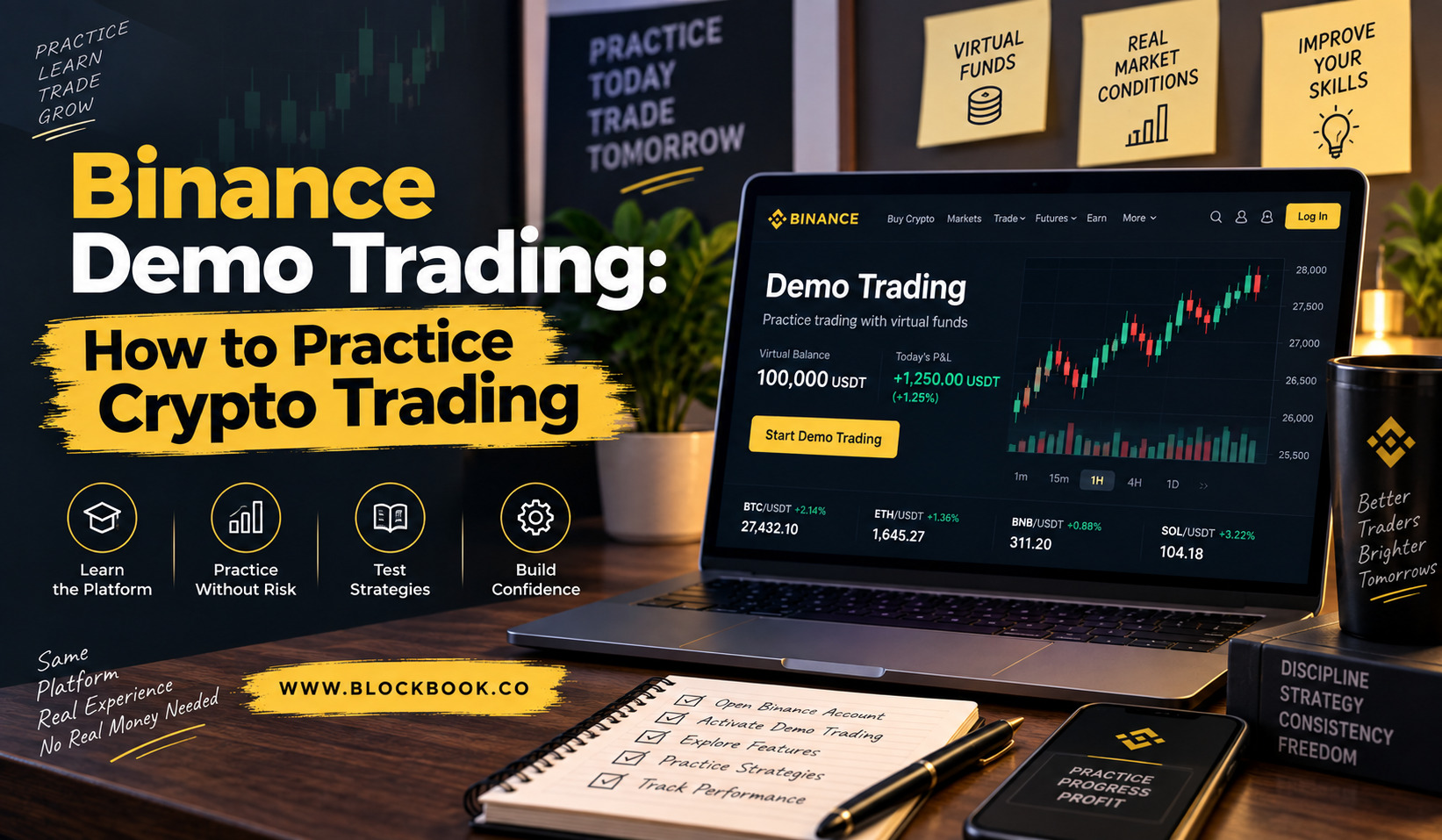
Demo trading is a simulated version of the real Binance platform. It mirrors live price movement, the order book, and the trading tools, but every trade you place uses virtual money instead of actual funds.
Nothing you gain or lose inside the demo can be withdrawn, and nothing you risk there is real. The tool covers both spot and futures markets, so a beginner and a more experienced trader can both use it, just for different reasons.
Binance resets virtual balances periodically, and users can reset their own demo funds back to the starting amount whenever they want a clean slate.
The starting balance differs depending on which market you practice in, and Binance has adjusted these amounts more than once as the tool evolved. Rather than fixating on the exact number, it helps to treat the starting balance as a training budget, meant to be spent testing ideas rather than protected like real savings.
Some traders use the demo tool only once, just long enough to learn the interface. Others return to it regularly, especially when Binance adds a new order type or a new bot, since testing an unfamiliar feature costs nothing here.
Why Beginners Should Start Here
Most people learn a new skill better by doing it than by reading about it, and trading is no exception.
Demo trading lets you make the beginner mistakes that everyone makes, such as placing a market order when you meant to set a limit, without losing a cent. You get to watch how price actually moves against an open position, which reads very differently on paper than it does when the numbers are moving in front of you.
It also gives newer users something practical to do while waiting on identity verification. In several markets, Binance allows access to the demo tool even before full KYC approval is complete, so the wait does not have to be wasted time.
There is also a quieter benefit that beginners tend to underestimate. Demo trading forces you to actually read the screen instead of guessing, since a wrong click has no real cost attached. That habit, of checking an order before confirming it, tends to carry over once real money enters the picture, and it is a habit worth building before it matters.
Experienced traders use the same tool for a different reason. Testing an unfamiliar strategy, a new pair, or a bot setting on real funds first is a gamble that demo trading removes entirely.
Getting Access to the Demo Environment
Getting into demo trading takes only a few steps.
- Log into your Binance account through the website or app.
- Look for the “Demo Trading” option, usually available from the trading menu.
- Select whether you want to practice spot or futures trading.
- Confirm, and your virtual balance loads automatically.
No separate application or extra verification is required beyond a basic Binance account. The interface loads almost immediately, since it draws on the same live market data as the real platform.
What the Simulated Interface Looks Like
The demo screen looks close to identical to live trading, and that similarity is the whole point.
You will see the same order book, the same price chart, and the same order form used for real trades. Order types such as market, limit, and stop-limit all behave the way they would with real funds, at least in terms of how they are placed and filled.
The main difference sits underneath the surface. Execution in the demo can behave slightly better than a live account, since it does not always account for the same slippage or liquidity limits a real order might face during a busy market.
You can also switch between the simplified app view and the more detailed professional view, the same choice available on the live platform. Beginners often start with the simpler layout, then move to the fuller one once they understand what each panel does. Doing that switch inside the demo first means the professional view does not feel overwhelming the first time you see it with real funds attached.
Placing Practice Trades
Placing a trade in demo mode works exactly like placing one for real.
- Pick a trading pair from the list, such as BTC/USDT.
- Choose Buy or Sell.
- Select an order type, such as market or limit.
- Enter the amount you want to trade.
- Confirm the order and watch it fill.
Because nothing here uses real funds, it is worth trying strategies you would normally hesitate to test, such as setting a stop-limit order or experimenting with a smaller position size than usual. There is no downside to getting it wrong here, which is exactly why the tool exists.
What Demo Trading Cannot Teach You
Demo trading is useful, but it does not recreate everything about real trading.
- Emotion: Watching a real balance drop feels different from watching a virtual one drop, and that emotional pressure changes decisions.
- Execution quality: Live markets can fill orders at slightly different prices than the demo suggests, especially during high volatility.
- Fees: Some demo environments do not reflect real trading fees accurately, so profit and loss figures can look better than they would with actual costs applied.
Treat demo trading as a way to learn the mechanics, not as proof that a strategy will work once real money is on the line.
There is also a psychological gap worth naming directly. A trader who doubles a virtual balance often assumes the same result will repeat with real funds, and that assumption gets people into trouble. Confidence built in a risk-free setting does not automatically transfer, since the fear of losing something real changes how people react under pressure, sometimes for the better and sometimes for the worse.
Moving From Demo to Real Trading
Once the interface feels familiar and you understand how different order types behave, it may be time to test small amounts with real funds.
A sensible approach is to start with an amount you would not miss if the trade went badly, and to keep using the same order types and habits you practiced in demo mode. Jumping straight from simulated confidence to a large real position is one of the more common ways beginners lose money quickly.
Give yourself permission to go slowly. There is no prize for skipping steps.
It can also help to keep a simple log of the trades you made in demo mode, noting why you entered each one and how it played out. Carrying that habit into real trading gives you something to review later, rather than relying on memory alone to figure out what worked and what did not.
Key Takeaways
- Demo trading: uses virtual funds to simulate real spot and futures markets on Binance.
- Access: available through the trading menu, with no extra application needed.
- Interface: nearly identical to live trading, including order books and order types.
- Limits: does not fully capture emotional pressure, execution quality, or fees.
- Next step: move to real trading gradually, starting with a small amount.
FAQs
Is Binance Demo Trading free to use?
Yes, demo trading does not cost anything and does not require real funds.
Can I withdraw profits made in demo trading?
No, virtual profits and losses in demo mode cannot be withdrawn or converted to real funds.
Do I need to complete identity verification to use demo trading?
In many markets, no, since demo trading is often available before full verification is finished.
Does demo trading use real market prices?
Yes, the simulation is built on live price data, even though the funds themselves are virtual.
Can I reset my demo balance?
Yes, users can reset their virtual funds back to the starting amount whenever they choose.
Conclusion
Binance Demo Trading gives beginners a real way to practice crypto trading without risking actual money. It will not teach you everything, since emotion and execution quality only show up once real funds are involved, but it remains one of the safest starting points available. Use it to build familiarity, then move to small real trades once the basics feel natural.
About the Author